Thirty Percent of the Web, Mostly Unanswered
WooCommerce powers over 30% of all online stores in the world. That's tens of millions of product pages, checkout flows, and customer inboxes — most of them relying on human agents to answer questions that, frankly, should never need a human in the first place. "Is this in stock?" is not a question that requires a person. "What's the return policy?" doesn't need a ticket. "Where's my order?" should never result in a three-hour wait for a response.
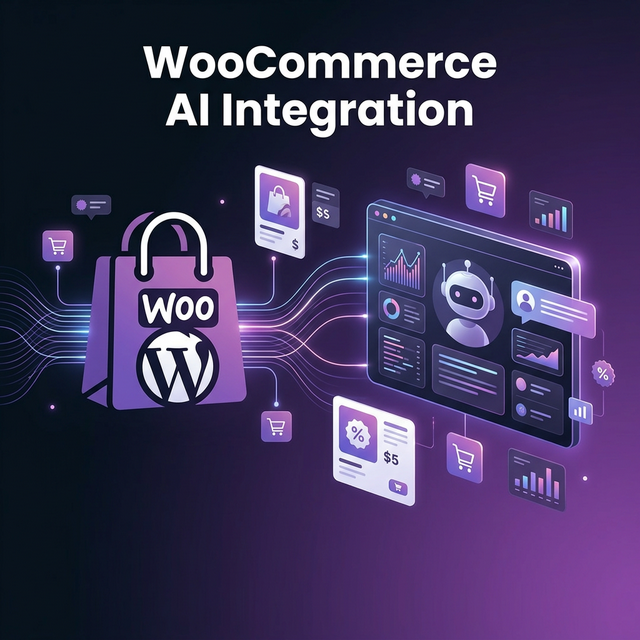
If your store runs on WordPress and WooCommerce, Mugib can give it the intelligence it's been missing. Not a chatbot that guesses. A real AI that reads your actual store data and answers with precision.
A Store That Answers Itself
The Mugib WooCommerce adapter connects to your store's REST API and queries it the moment a question comes in. A shopper asks if the Samsung TV is on sale — the AI searches your product catalog live, finds the current price, checks the sale price field, and responds with accurate information. A customer asks about their order from last Tuesday — the AI searches your orders database, finds the entry, reads the status and expected delivery, and gives a real answer, not a template.
This is fundamentally different from building a knowledge base, uploading product spreadsheets, or writing FAQ entries. Those approaches freeze your data at a point in time. The WooCommerce MCP connection is always fresh — every query returns data as it exists right now in your WordPress database.
Which Data Can the AI Access?
The adapter supports three resource types. Products are the foundation: your entire WooCommerce catalog is searchable by name, with the AI returning price, sale price, stock status, SKU, description, and category for any matching product. Orders give your AI access to your fulfillment data — customers can ask about specific orders by number and get real status, tracking, and line item details. Customers let your AI look up account records when needed, offering a more personalized experience for returning buyers.
One important technical note: WooCommerce's REST API requires an HTTPS connection. If your store doesn't have a valid SSL certificate, the API won't work. Most modern WordPress hosts include SSL automatically — but it's worth verifying before you start the integration.
A customer messages your store at 2am: "I ordered the standing desk last Friday but haven't received a shipping notification." Your AI queries WooCommerce, finds order #892, reads the status — Processing — and replies: "Order #892 is currently being prepared and will ship by tomorrow. You'll receive a tracking email once it's dispatched." No human woke up for that.
How to Connect WooCommerce to Mugib
WooCommerce has a built-in REST API that doesn't require any plugins. You just need to generate API keys and configure Mugib to use them.
Step 1 — Generate WooCommerce API Keys
From your WordPress admin panel, go to WooCommerce → Settings → Advanced → REST API and click Add key. Give it a description like "Mugib AI", set the user to your admin account, and set the permissions to Read only — your AI never needs to write to your store. Click Generate API key and copy both the Consumer Key (starting with ck_) and the Consumer Secret (starting with cs_).
Step 2 — Create the MCP Source in Mugib
Go to Admin → MCP Sources → Create Source, choose WooCommerce, and enter your store URL — make sure it uses https://. Paste the Consumer Key and Consumer Secret. Set the resource type to products, orders, or customers. Add one source for each resource type you want the AI to query.
Step 3 — Keywords and Go Live
Assign keywords that naturally match each source. For products, think about how your customers ask: price, stock, available, variant, color, size, منتج, متوفر, سعر. For orders: order, delivery, shipping, tracking, طلب, توصيل, شحن. Assign your sources to your project channels, and your WooCommerce store now has an AI brain working 24 hours a day.
ثلاثون بالمئة من الويب، معظمها دون إجابة
يشغّل WooCommerce أكثر من 30% من جميع المتاجر الإلكترونية في العالم. هذه عشرات الملايين من صفحات المنتجات ومسارات الدفع وصناديق البريد — معظمها يعتمد على موظفين بشريين للإجابة على أسئلة لا تحتاج موظفاً بشرياً في الأساس. "هل هذا متوفر؟" ليس سؤالاً يحتاج شخصاً. "ما سياسة الإرجاع؟" لا تحتاج تذكرة دعم. "أين طلبي؟" لا يجب أن تؤدي لانتظار ثلاث ساعات للرد.
إذا كان متجرك يعمل على WordPress وWooCommerce، يستطيع مجيب منحه الذكاء الذي كان يفتقده. ليس باوت يخمّن. ذكاء اصطناعي حقيقي يقرأ بيانات متجرك الفعلية ويجيب بدقة.
متجر يجيب بنفسه
يتصل محول WooCommerce من مجيب بواجهة REST API الخاصة بمتجرك ويستعلمها في اللحظة التي يرد فيها سؤال. يسأل متسوق إذا كان تلفزيون سامسونج في التخفيض — يبحث الذكاء في كتالوج المنتجات حياً، يجد السعر الحالي وسعر التخفيض ويستجيب بمعلومات دقيقة. يسأل عميل عن طلبه من الأسبوع الماضي — يبحث الذكاء في قاعدة بيانات الطلبات، يجد السجل، يقرأ الحالة وموعد التسليم المتوقع ويعطي إجابة حقيقية لا قالب نصي.
هذا مختلف جوهرياً عن بناء قاعدة معرفة أو رفع جداول بيانات أو كتابة أسئلة شائعة. تلك المقاربات تجمّد بياناتك عند نقطة في الزمن. اتصال WooCommerce MCP دائماً حديث — كل استعلام يعيد البيانات كما هي موجودة الآن في قاعدة بيانات WordPress.
أي بيانات يستطيع الذكاء الوصول إليها؟
يدعم المحول ثلاثة أنواع من الموارد. المنتجات هي الأساس: كتالوج WooCommerce بالكامل قابل للبحث بالاسم، مع إعادة السعر وسعر التخفيض وحالة المخزون والـ SKU والوصف والفئة لأي منتج مطابق. الطلبات تعطي ذكاءك وصولاً لبيانات الشحن — يستطيع العملاء السؤال عن طلبات محددة بالرقم والحصول على الحالة والتتبع وتفاصيل العناصر. العملاء تسمح للذكاء بالبحث في سجلات الحسابات لتجربة أكثر شخصية مع المشترين المتكررين.
يراسل عميل متجرك الساعة 2 فجراً: "طلبت المكتب الواقف الجمعة الماضية لكنني لم أتلق إشعار شحن." يستعلم ذكاؤك WooCommerce، يجد الطلب #892، يقرأ الحالة — قيد المعالجة — ويجيب: "الطلب #892 يجري تحضيره حالياً وسيُشحن غداً. ستتلقى بريداً بالتتبع فور شحنه." لم يستيقظ أحد لهذا.
كيفية ربط WooCommerce بمجيب
يحتوي WooCommerce على REST API مدمجة لا تتطلب أي إضافات. تحتاج فقط لإنشاء مفاتيح API وتهيئة مجيب لاستخدامها.
الخطوة الأولى — إنشاء مفاتيح API لـ WooCommerce
من لوحة تحكم WordPress، توجّه إلى WooCommerce → Settings → Advanced → REST API وانقر Add key. أعطها وصفاً كـ"Mugib AI"، اضبط المستخدم على حساب المسؤول، واضبط الصلاحيات على Read (قراءة) فقط. انقر Generate API key وانسخ Consumer Key (يبدأ بـ ck_) وConsumer Secret (يبدأ بـ cs_).
الخطوة الثانية — إنشاء مصدر MCP في مجيب
توجّه إلى Admin → MCP Sources → Create Source، اختر WooCommerce، وأدخل رابط متجرك — تأكد من أنه يستخدم https://. الصق Consumer Key وConsumer Secret. اختر نوع المورد: products أو orders أو customers. أضف مصدراً لكل نوع تريد الذكاء يستعلمه.
الخطوة الثالثة — الكلمات المفتاحية والانطلاق
عيّن كلمات مفتاحية تتناسب بشكل طبيعي مع كل مصدر. للمنتجات: منتج، متوفر، سعر، لون، مقاس، product, stock, available, price. للطلبات: طلب، توصيل، شحن، order, delivery, tracking. عيّن مصادرك لقنوات مشروعك، ومتجر WooCommerce الآن يمتلك عقلاً ذكياً يعمل 24 ساعة.