The Support History Your AI Has Never Seen
Your Zendesk account holds something invaluable: years of real customer problems and the exact solutions your best agents used to fix them. Every closed ticket is a piece of institutional memory — a record of what broke, who reported it, and precisely how it was resolved. But that history is trapped inside Zendesk, invisible to your AI, repeating the same effort every time a similar issue comes in.
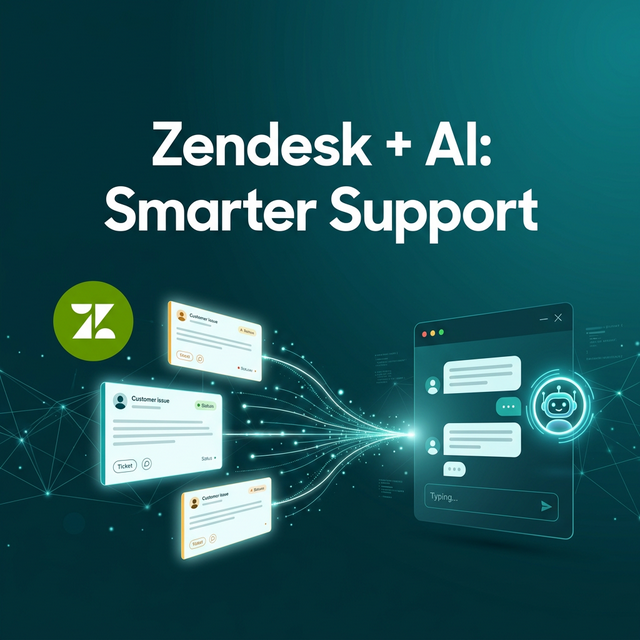
With Mugib's Zendesk MCP adapter, that changes. Your AI connects to your Zendesk account and searches ticket history and Help Center articles in real time. When a new customer reports a familiar issue, the AI doesn't start from scratch — it finds the pattern, draws on the resolution, and gives a confident answer. Your accumulated support knowledge finally works for you around the clock.
Two Modes, One Comprehensive Answer
The Zendesk adapter supports two distinct resource types, and using both together is where the real power comes from. Tickets give the AI access to your historical case database — real customer problems with real solutions, written by your own agents over months or years. When a customer describes an issue, the AI searches tickets that match the language and context of the problem. It doesn't just retrieve text — it finds resolutions.
Articles search your Zendesk Help Center, which is a different kind of knowledge. Where tickets are raw and problem-driven, articles are polished and solution-driven — how-to guides, product documentation, FAQ entries that your team wrote specifically to be read. When a customer asks how to do something, the AI searches articles. When a customer reports something is broken, it searches tickets. The right source for the right type of question, automatically.
A customer reports: "My account dashboard isn't showing the analytics tab since the update last week." The AI searches Zendesk tickets, finds 23 similar reports all resolved by clearing the browser cache and re-enabling the feature in account settings, and replies: "This is a known display issue after the recent update. To resolve it: clear your browser cache, then go to Account Settings → Features and re-enable the Analytics dashboard. It should appear immediately." — That answer came from your team's collective experience, delivered automatically.
The Help Center Multiplier
Your Zendesk Help Center already exists to reduce support volume. But the reduction only happens when customers actually find and read the articles — and most don't search, or don't find what they need when they do. Your AI changes this equation entirely. Instead of hoping customers navigate to your Help Center, the AI brings the right article to them directly in the conversation, narrating the relevant content in a way that's natural and contextually appropriate.
Every article you write for your Help Center now has a new audience: not just customers who happen to search for it, but every customer who asks a related question through any of your connected channels. The return on your documentation investment multiplies immediately.
How to Connect Zendesk to Mugib
The connection uses Zendesk's standard REST API v2 and requires only an API token and agent email. No changes to your Zendesk configuration are needed.
Step 1 — Generate a Zendesk API Token
In your Zendesk account, go to Admin Center → Apps & Integrations → APIs → Zendesk API. Enable Token Access if it isn't already on. Click Add API token, give it a descriptive name like "Mugib AI", and copy the generated token. Keep it — Zendesk won't show it to you again.
Step 2 — Create Two MCP Sources in Mugib
Go to Admin → MCP Sources → Create Source and choose Zendesk. Enter your subdomain — the part of your Zendesk URL before .zendesk.com. Enter your agent email address as the EMAIL credential and the API token as API_TOKEN. Set the resource to tickets first and save. Then create a second source with the same credentials but set the resource to articles.
Step 3 — Route Questions to the Right Source
This step is what makes the dual-source setup intelligent. For your Tickets source, use problem-oriented keywords: issue, problem, broken, error, not working, failed, مشكلة, عطل, لا يعمل. For your Articles source, use instructional keywords: how to, guide, steps, tutorial, setup, configure, كيف، خطوات، دليل. When a customer asks "how do I...", the AI goes to your Help Center. When they report "my X isn't working", it searches your ticket history. Assign both sources to your project and you're live with a complete support intelligence layer.
تاريخ الدعم الذي لم يره ذكاؤك قط
حساب Zendesk الخاص بك يحتوي على شيء لا يُقدَّر بثمن: سنوات من مشكلات العملاء الحقيقية والحلول الدقيقة التي استخدمها أفضل وكلائك لإصلاحها. كل تذكرة مغلقة هي قطعة من ذاكرة مؤسسية — سجل لما تعطّل ومن أبلغ عنه وكيف حُلّ بالضبط. لكن هذا التاريخ محبوس داخل Zendesk، غير مرئي لذكاءك الاصطناعي، يكرر نفس الجهد في كل مرة تأتي مشكلة مماثلة.
مع محول Zendesk MCP من مجيب، هذا يتغيّر. يتصل ذكاؤك بحساب Zendesk ويبحث في تاريخ التذاكر ومقالات مركز المساعدة بشكل لحظي. حين يبلّغ عميل جديد عن مشكلة مألوفة، لا يبدأ الذكاء من الصفر — يجد النمط ويستند للحل ويعطي إجابة ثقة. معرفة الدعم المتراكمة لديك تعمل أخيراً لصالحك على مدار الساعة.
وضعان، إجابة شاملة واحدة
يدعم محول Zendesk نوعَين متميزَين من الموارد، واستخدام كليهما معاً هو مصدر القوة الحقيقية. التذاكر تمنح الذكاء وصولاً لقاعدة بيانات الحالات التاريخية — مشكلات حقيقية للعملاء مع حلول حقيقية كتبها وكلاؤك على مدار أشهر أو سنوات. حين يصف عميل مشكلة، يبحث الذكاء في التذاكر المتطابقة مع لغة المشكلة وسياقها.
المقالات تبحث في مركز مساعدة Zendesk — وهو نوع مختلف من المعرفة. بينما التذاكر خام وتركز على المشكلة، المقالات مصقولة وتركز على الحل. حين يسأل عميل كيفية فعل شيء، يبحث الذكاء في المقالات. حين يبلّغ عميل عن تعطّل، يبحث في التذاكر. المصدر الصحيح لنوع السؤال الصحيح تلقائياً.
يبلّغ عميل: "لوحة تحكم حسابي لا تظهر تبويب التحليلات منذ تحديث الأسبوع الماضي." يبحث الذكاء في تذاكر Zendesk، يجد 23 بلاغاً مماثلاً كلها حُلّت بمسح ذاكرة التخزين المؤقت وإعادة تفعيل الميزة في إعدادات الحساب، ويجيب بالخطوات الدقيقة — تلك الإجابة جاءت من تجربة فريقك الجماعية، مُقدَّمة تلقائياً.
مضاعِف مركز المساعدة
مركز المساعدة في Zendesk موجود بالفعل لتقليل حجم الدعم. لكن التقليل يحدث فقط حين يجد العملاء المقالات ويقرؤونها — ومعظمهم لا يبحث، أو لا يجد ما يحتاجه حين يبحث. ذكاؤك الاصطناعي يغيّر هذه المعادلة كلياً. بدلاً من أمل أن يتصفح العملاء مركز المساعدة، يأتي الذكاء بالمقال الصحيح إليهم مباشرةً في المحادثة.
كل مقال تكتبه لمركز المساعدة الآن له جمهور جديد: ليس فقط العملاء الذين يصادفون البحث عنه، بل كل عميل يسأل سؤالاً ذا صلة عبر أي من قنواتك المتصلة.
كيفية ربط Zendesk بمجيب
يستخدم الاتصال Zendesk REST API v2 القياسية ويتطلب فقط رمز API وبريد الوكيل. لا تغييرات في تهيئة Zendesk مطلوبة.
الخطوة الأولى — إنشاء Zendesk API Token
في Zendesk، توجّه إلى Admin Center → Apps & Integrations → APIs → Zendesk API. فعّل Token Access إذا لم يكن مفعّلاً. انقر Add API token، أعطه اسماً مثل "Mugib AI"، وانسخ الرمز المُولَّد.
الخطوة الثانية — إنشاء مصدرَي MCP في مجيب
توجّه إلى Admin → MCP Sources → Create Source واختر Zendesk. أدخل نطاقك الفرعي — الجزء من رابط Zendesk قبل .zendesk.com. أدخل بريد الوكيل كـ EMAIL والرمز كـ API_TOKEN. اضبط المورد على tickets أولاً واحفظ. ثم أنشئ مصدراً ثانياً بنفس البيانات لكن اضبط المورد على articles.
الخطوة الثالثة — توجيه الأسئلة للمصدر الصحيح
لمصدر التذاكر، استخدم كلمات مفتاحية تركز على المشكلة: مشكلة، عطل، لا يعمل، خطأ، issue, broken, error, not working. لمصدر المقالات، استخدم كلمات تعليمية: كيف، خطوات، دليل، إعداد، how to, guide, steps, configure. عيّن كلا المصدرَين لمشروعك وأنت جاهز بطبقة كاملة من ذكاء الدعم.